
AWS Cost Allocation Tagging: Beyond "Just Tag Everything"
Most AWS tagging strategies fail because they're too complex. Here's how we cut from 12 required tags to 3, lifted compliance from 40% to 95%, and finally got cost data we could act on.
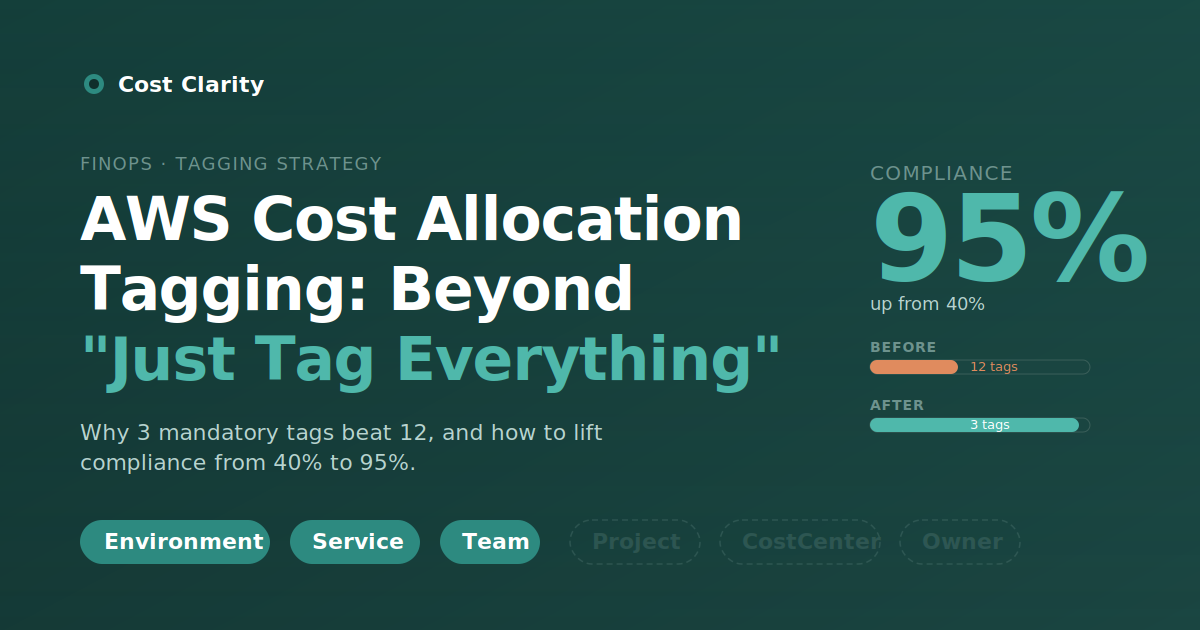
Cost optimization discussions in the AWS ecosystem keep landing on the same advice: "Tag your resources and use Cost Allocation Tags." Technically correct, practically useless. The hard part isn't agreeing that tagging matters. The hard part is building a tagging strategy that produces information your team can actually act on, instead of metadata noise nobody trusts.
We spent 18 months cleaning up a complex AWS environment, and what we learned wasn't really about tags. It was about how organizations decide what's worth tracking, who owns the cost when something breaks, and why most tagging policies collapse under their own weight within a quarter. This post is the version of "tag your resources" we wish someone had written for us.
Why Most Tagging Strategies Fail
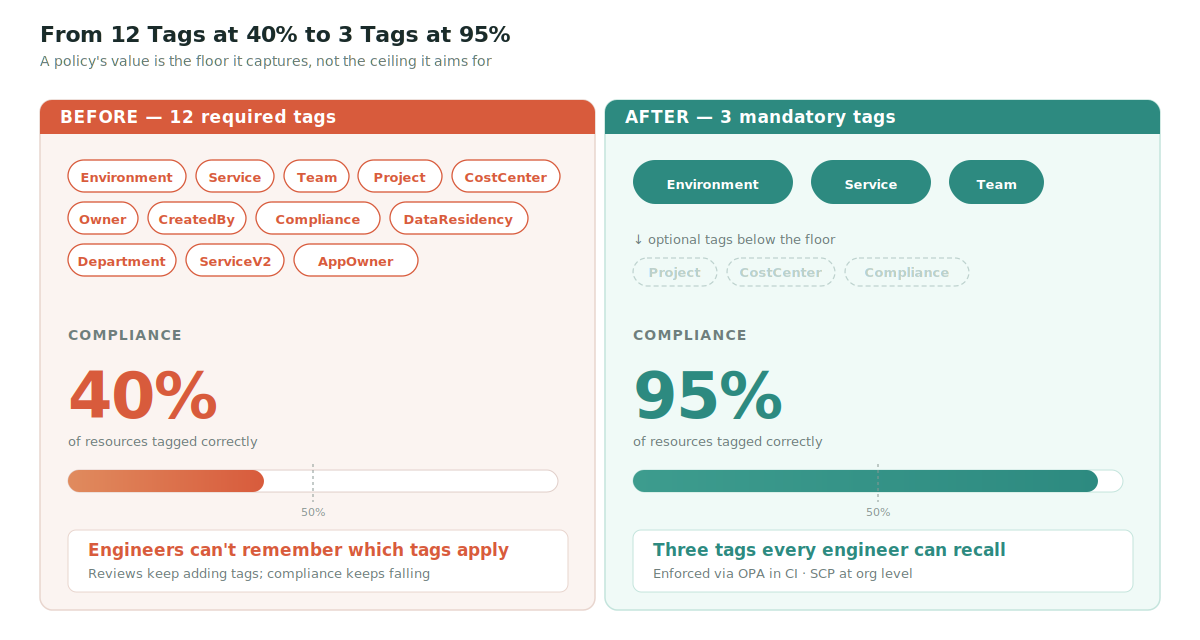
Most organizations start with the right instinct and the wrong execution. Someone in security, finance, and platform engineering each contributes their wishlist, and the result is a tagging policy with 10–15 required tags covering cost centers, compliance classifications, data residency, project codes, environment, owner, and three flavors of "service" that mean different things to different teams.
The compliance numbers tell the story. We've consistently seen environments like this hover around 40% tagging compliance. The remaining 60% isn't malice. It's engineers shipping under deadline pressure who don't remember which of the four "owner" tags applies to a Lambda function spun up to debug a production incident at 11pm.
Complexity kills adoption. That sounds obvious until you watch a tagging policy review meeting end with two more tags being added.
Three Mandatory Tags
We rebuilt our tagging strategy around three required tags. Every taggable resource gets these, no exceptions. Optional tags exist for specialized needs, but they don't gate creation.
Environment
Allowed values: prod, staging, dev, sandbox.
This seems trivial until you look at how many resources in a typical environment lack it. Without Environment, you can't separate production cost from experimentation cost, which means you can't tell whether your bill increase last month was the new feature shipping or someone forgetting to tear down a load test.
A constrained value list matters here. Production, production, prod, and PROD are four different tag values to AWS, and we've seen all four in the same account.
Service
This is the tag that changed everything for us, and it's also the one most teams get wrong.
Service represents your service, not the AWS service type. Not RDS, not Lambda, not EC2. Instead: payment-processor, user-api, data-pipeline, recommendation-engine. The names your engineers use when they talk about what they're building.
The reason this matters: AWS Cost Explorer already groups by AWS service. You don't need a tag to learn that you spent $4,200 on RDS last month. What you need to know is what that $4,200 of RDS bought you, and where else in your stack the cost of running payment-processor shows up. The Service tag, applied consistently across ALBs, ECS tasks, RDS clusters, SQS queues, and S3 buckets, is what turns "infrastructure cost" into "cost of running this product capability."
Team
Who gets paged when this resource breaks at 2am, and who answers when finance asks why its cost doubled.
Ownership without ambiguity. If two teams could plausibly own a resource, the tagging system has already lost. Decide, write it down, move on.
Why three?
Cutting from 12 required tags to three (plus a small set of optional tags for compliance markers and project codes) lifted compliance from 40% to 95% in our environment. The lesson is uncomfortable for tagging committees: the value of a tag policy is the floor, not the ceiling. A policy that captures three things at 95% beats one that captures twelve at 40% on every metric that matters.
Enforcement: Prevention Over Remediation
Sending Slack reminders to "please remember to tag your resources" is not a tagging strategy. It's a slow, polite way to learn that your engineers are busy. We use two layers of automated enforcement, and both are non-negotiable.
Layer 1: Infrastructure as Code Validation
Open Policy Agent (OPA) policies sit in our Terraform pipeline. If a resource doesn't include Environment, Service, and Team with valid values, terraform apply fails. The error surfaces during code review, when the fix is editing a few lines.
This is the cheap layer. Catching tagging gaps in CI costs nothing compared to catching them in production.
Layer 2: AWS Service Control Policies
At the AWS Organizations level, Service Control Policies (SCPs) block the creation of resources without the required tags. SCPs catch what Terraform doesn't: console actions during incident response, CLI commands from a developer's laptop, SDK calls from internal tooling.
The SCP is the safety net. Most engineers will never hit it because Layer 1 catches them first. But the few who would have created untagged resources outside Terraform get stopped before the resource exists.

A starter tag policy for AWS Organizations looks like this:
{
  "tags": {
    "Environment": {
      "tag_key": { "@@assign": "Environment" },
      "tag_value": {
        "@@assign": ["prod", "staging", "dev", "sandbox"]
      },
      "enforced_for": {
        "@@assign": [
          "ec2:instance",
          "ec2:volume",
          "s3:bucket",
          "lambda:function",
          "rds:db",
          "elasticloadbalancing:loadbalancer",
          "ecs:service",
          "dynamodb:table"
        ]
      }
    },
    "Service": {
      "tag_key": { "@@assign": "Service" },
      "enforced_for": { "@@assign": [
          "ec2:instance", "ec2:volume", "s3:bucket", "lambda:function",
          "rds:db", "elasticloadbalancing:loadbalancer",
          "ecs:service", "dynamodb:table"
      ]}
    },
    "Team": {
      "tag_key": { "@@assign": "Team" },
      "enforced_for": { "@@assign": [
          "ec2:instance", "ec2:volume", "s3:bucket", "lambda:function",
          "rds:db", "elasticloadbalancing:loadbalancer",
          "ecs:service", "dynamodb:table"
      ]}
    }
  }
}
Note that enforced_for makes non-compliance visible in AWS Config and the Tag Policies report, but doesn't block resource creation by itself. To actually prevent untagged resources, pair this with a deny-style SCP that requires the keys at creation time. Both pieces matter, and most teams skip the second one.
The Retroactive Tagging Trap
We spent close to two weeks tagging legacy resources by hand before admitting it wasn't worth the engineering time. Most of those resources were going to be replaced within six months anyway.
If you're starting fresh, enforce from day one. If you're cleaning up an existing environment, accept a transitional period: enforce going forward, run a once-off script to identify the highest-cost untagged resources, fix those, and let the long tail cycle out through normal replacement. Don't run an archeology project on infrastructure that's about to be deleted.
Finding the Untagged Resources That Actually Matter
For the cleanup pass, the question is which untagged resources are expensive enough to fix manually. A quick CLI sweep for EC2:
aws ec2 describe-instances \
  --query 'Reservations[*].Instances[?!Tags[?Key==`Service`]].[InstanceId,InstanceType,LaunchTime]' \
  --output table
Run the equivalent for RDS, Lambda, and EBS volumes. Sort by likely cost (instance type, volume size, invocation count), fix the top decile, and let the SCP handle everything created from then on. The goal isn't 100% backfill. The goal is closing the cost-visibility gap on the resources that move the bill.
The Report That Drives Action
Once compliance is high enough to trust, the reporting question becomes simpler than most teams expect. Our monthly cost review focuses on a single metric: services where Service-tagged cost increased more than 30% month-over-month.
That report is unremarkable in isolation. What makes it work is that it forces the right conversation. When payment-processor jumps from $800 to $2,400, the question isn't "why is EC2 up?" It's "what changed in payment-processor?" Engineering has an answer ("we shipped the new fraud detection model"), finance can evaluate whether that aligns with business expectations, and the conversation is over in five minutes.
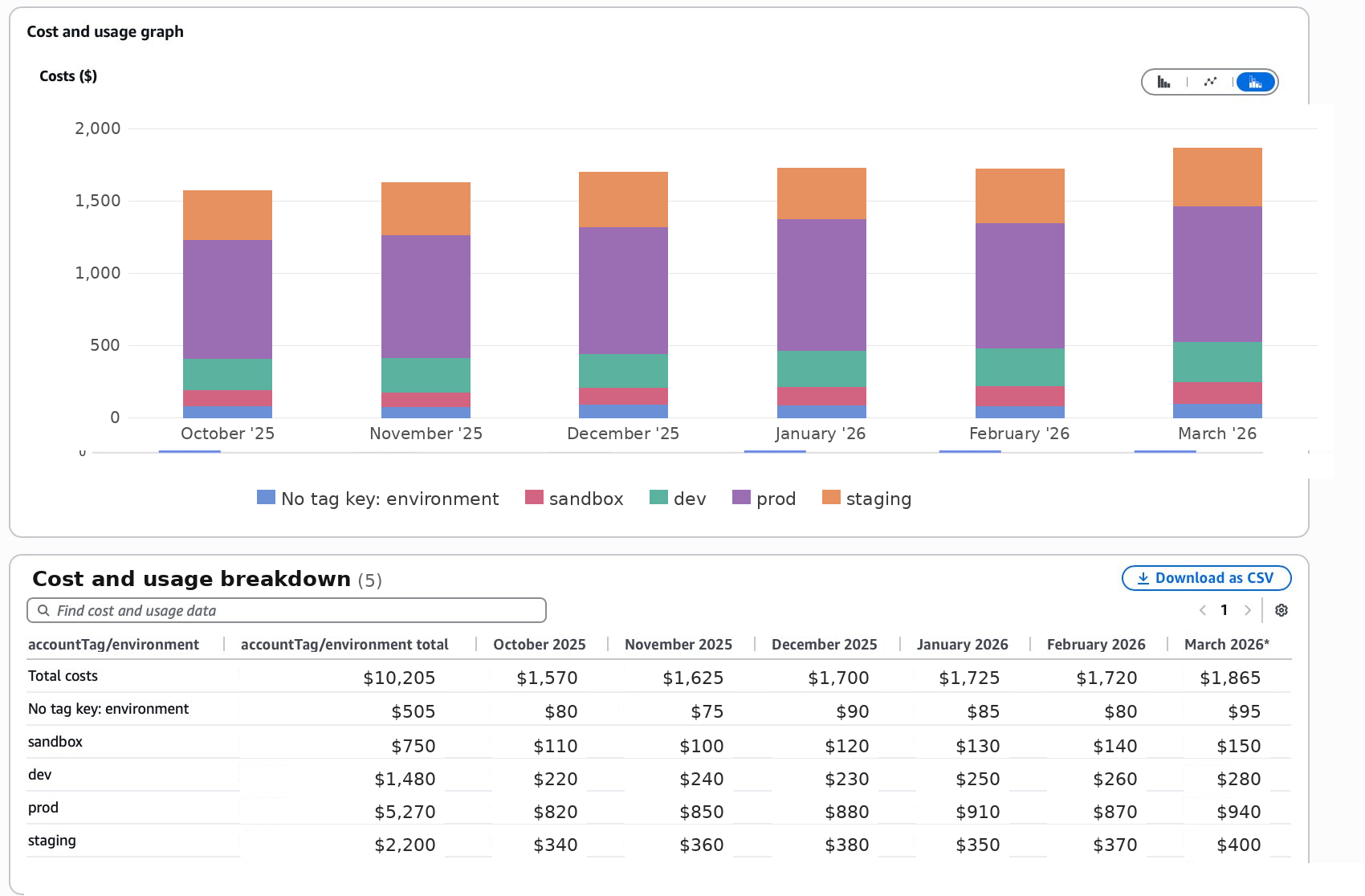
The same view, grouped by Service instead of Environment, is what drives the actual conversations. Environment tells you which slice of the bill is production; Service tells you which product capability owns the change.
This is what good cost data looks like: not a dashboard, but a meeting that ends.
The Unsolved Part: Shared Infrastructure
Honest admission: our tagging strategy doesn't fully handle shared resources. Centralized logging, NAT Gateways, shared databases, multi-tenant Redis clusters. These resources serve multiple Service consumers, and tagging them with one consumer attributes 100% of the cost to a service that's only using a fraction.
We evaluated AWS split cost allocation tags. For our scale, the implementation complexity outweighed the benefit, so we tag shared resources with their primary consumer and accept the imperfection. We document which costs are shared, and finance knows to read those line items with that context.
This is the part of tagging strategy nobody has fully solved. If your environment is mostly shared infrastructure, you're going to need a different model: either move toward account-per-service boundaries (which has its own tradeoffs, and is worth its own post), or invest in split cost allocation despite the complexity. There's no clean answer at the tag layer alone.
Key Takeaways
The shift from tagging-as-compliance to tagging-as-cost-intelligence comes down to five things:
- Radical simplification. Three mandatory tags with clear business meaning beats twelve at low compliance.
- Automated enforcement. OPA in CI, SCP at the org level. Manual reminders don't scale.
- Business-aligned taxonomy. Tag by your services, not by AWS service types. Cost Explorer already does the latter.
- Prospective focus. Enforce going forward, fix the expensive legacy items, let the rest cycle out.
- Reporting that drives conversations. Month-over-month change by
Serviceproduces the right meetings.
Effective AWS cost allocation tagging isn't about capturing every possible dimension. It's about capturing the minimum that lets your organization make informed decisions about cloud spending, with the data you already have.
Tagging tells you where the money is going. Once that's working, the next question is what to do with the picture — and a good place to start is the line items most teams overlook: data transfer costs. We found nearly $400/month of avoidable spend there, and tagging was what made the analysis possible.
TL;DR
- Tagging strategies with 12+ required tags typically end up at ~40% compliance. Three mandatory tags can get you to 95%.
- Use Environment, Service (your service, not the AWS product), and Team.
- The
Servicetag is what makes cost data actionable. AWS Cost Explorer already groups by AWS service; what you need is cost-by-product-capability. - Enforce automatically: OPA policies in Terraform CI, plus SCPs at the AWS Organizations level.
- Don't retroactively tag everything. Fix the expensive legacy items and let the rest cycle out.
- Report on month-over-month cost change by
Service. That's the report that produces real conversations. - Shared infrastructure cost attribution is genuinely hard. Tag with the primary consumer and document the imperfection until you have a stronger reason to invest in split cost allocation.